storyFlow
Storyboarding and animatic work in Blender's VSE, without fighting the tool.
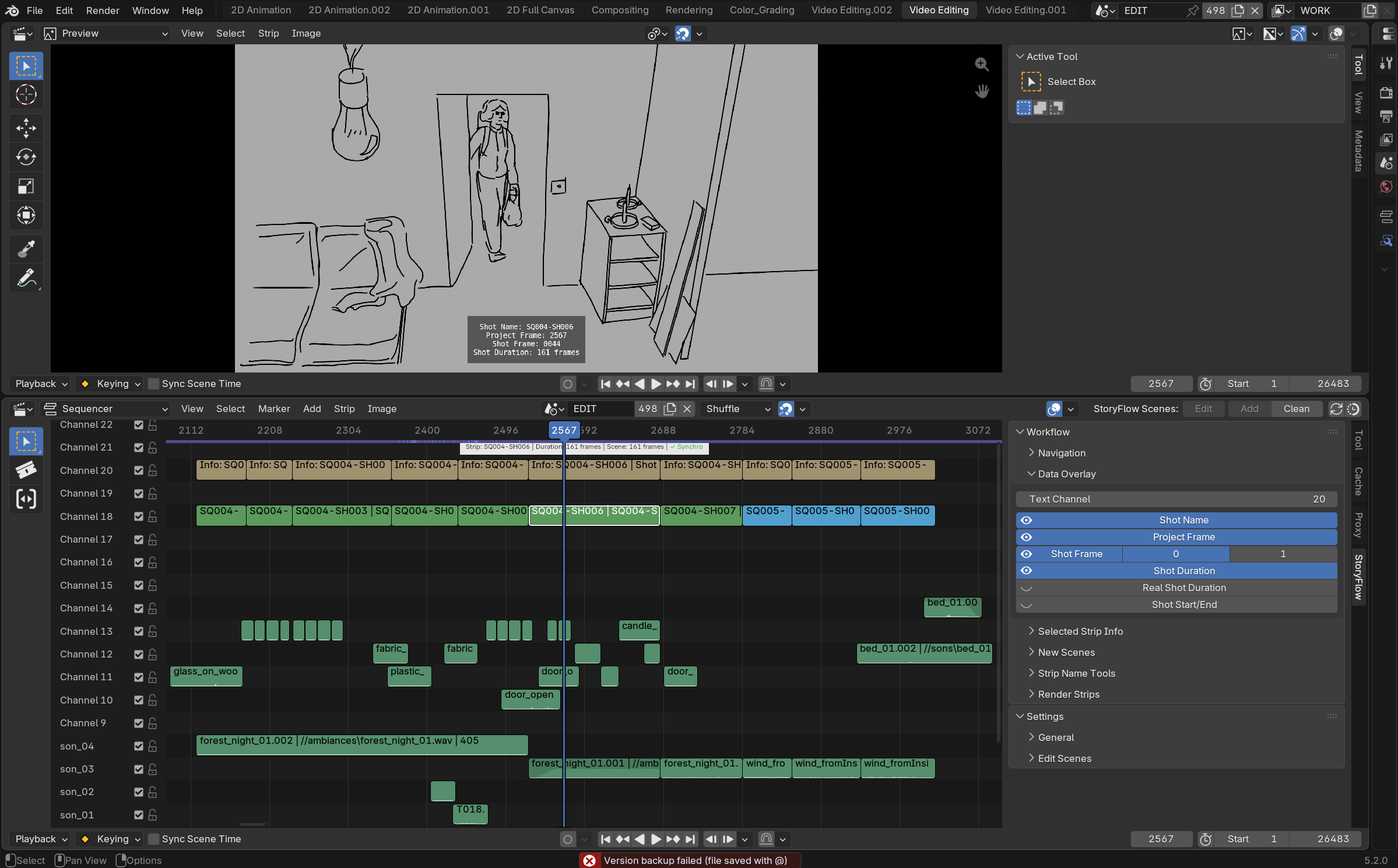
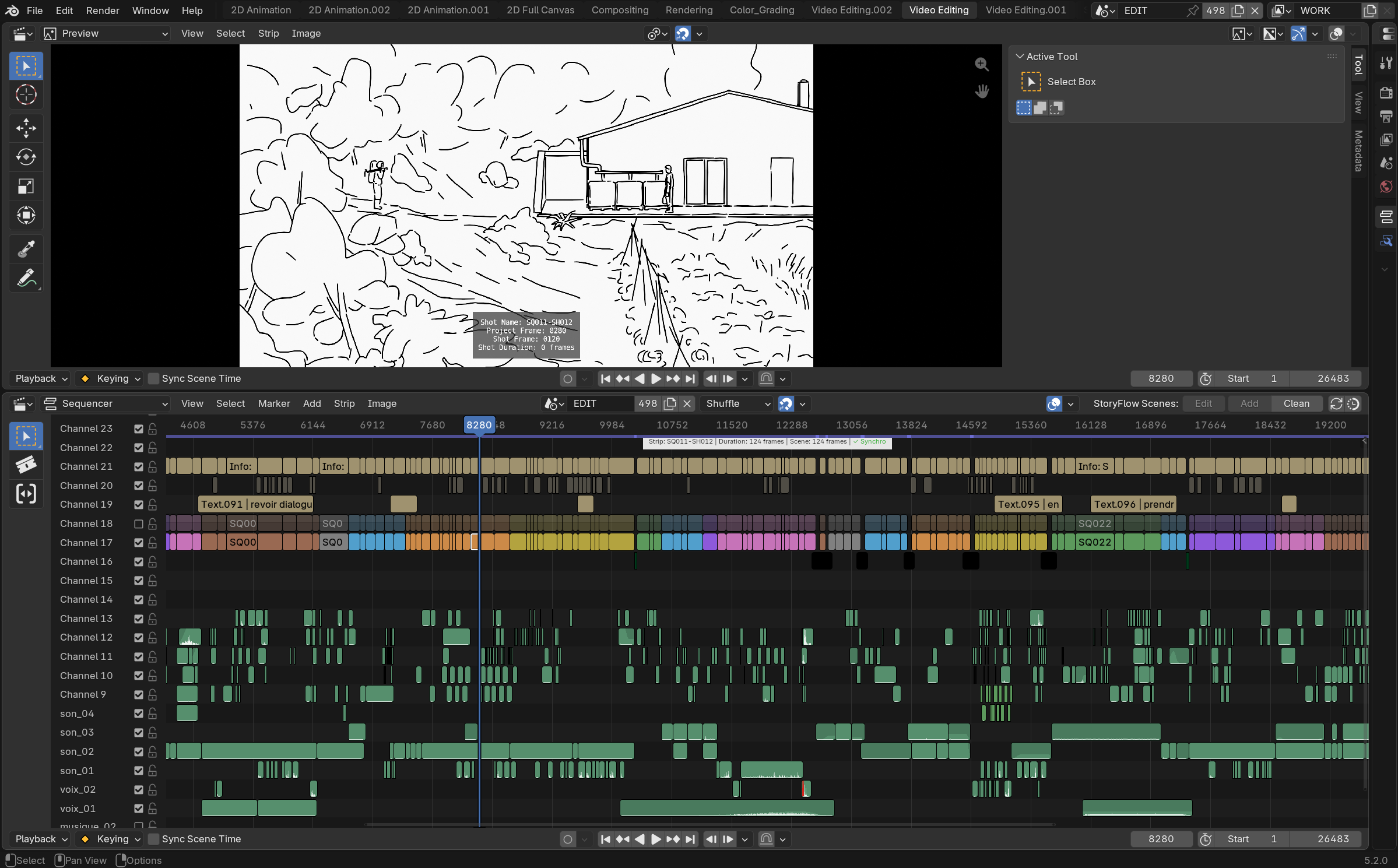
storyFlow extends the official Storypencil add-on (Blender Foundation) to turn the Video Sequence Editor into a real storyboard/animatic bench: an edit scene where every shot is a SCENE strip pointing to its own Grease Pencil drawing scene. It doesn't introduce a parallel editing or drawing engine — it works entirely through Blender's native scenes, workspaces and strips. storyFlow quietly fills in the big gaps Blender leaves open for this specific workflow: navigation and overall ergonomics, durations that drift out of sync or get stuck mid-edit, two shots that can end up pointing at the same drawing without warning, abandoned shots that pile up and bloat the file, and more. storyFlow closes those gaps so the back-and-forth between editing and drawing stays fast, clean and out of your way.
Presentation video
At a glance
- One click to start a project: "Setup Storyboard Session" creates the edit scene and a template drawing scene, loads the right workspace, and adds your first shot — ready to draw.
- Tab between a shot and its drawing, landing in the right frame, not just the right scene, in both directions.
- Durations stay in sync both ways: resize a drawing's frame range and its shot strip follows; resize the strip and the drawing scene follows.
- A warning before it becomes a problem: a red marker appears if two shots ever end up pointing at the same drawing scene.
- Sound follows the picture: overlapping audio is copied into each drawing scene automatically, pitch/pan/volume/speed preserved.
- Metadata burned onto the image when you need it — shot name, frame number, duration — each an independent toggle.
- Production tools: batch add/rename shots, clean up unused drawing scenes, render straight from the timeline (with re-import into the scene), and more.
See Features for a visual walkthrough of all of the above.
Why storyFlow still matters
Blender's own storyboard tools have moved forward too — Grease Pencil can now be drawn and edited directly inside a scene that also holds a lightweight edit view. That's fine for a short board. It stops being fine once the project is a real production: a long timeline with dozens of shots, scrubbed, re-ordered and re-cut all day on a single screen. Keeping that kind of genuine editing comfortably alongside a drawing scene on one monitor is awkward with Blender's native tools alone — storyFlow lets the dedicated edit scene and the drawing scenes coexist instead of forcing a choice between them. And however the two are wired together, that doesn't touch the problem storyFlow actually solves: Blender still has no built-in way to keep a shot's duration in the edit and its drawing scene's frame range in sync with each other — closing that gap, cleanly and in both directions, is what storyFlow is for.
Why it feels native
storyFlow never replaces a Blender scene, workspace, panel or shortcut —
every feature builds directly on top of them. Turn the add-on off and
you're left with an ordinary .blend file: real scenes, real strips, real
constraints, nothing that requires storyFlow to make sense of. The "Video
Editing" and "2D Animation" workspaces it relies on are Blender's own
standard workspaces, not custom UI.
Requires Blender 5.2 or newer.
License
GNU General Public License v3.0 or later
— SPDX: GPL-3.0-or-later.
Based on the Storypencil add-on (Blender Foundation, GPL) by Antonio Vazquez, Matias Mendiola, Daniel Martinez Lara, Rodrigo Blaas and Samuel Bernou.
storyFlow is part of the SlateFlow suite.
Support
slateFlow is developed in my spare time, alongside my freelance work. Prices are deliberately affordable: in return, I can't commit to fix deadlines or on-demand development. Feedback and ideas are welcome — the most important bugs will be fixed, and good ideas will make their way in. Thank you for your understanding.
Found a bug? See Reporting a bug for what to include.