gpFlow
A faster way to draw with Grease Pencil in Blender.
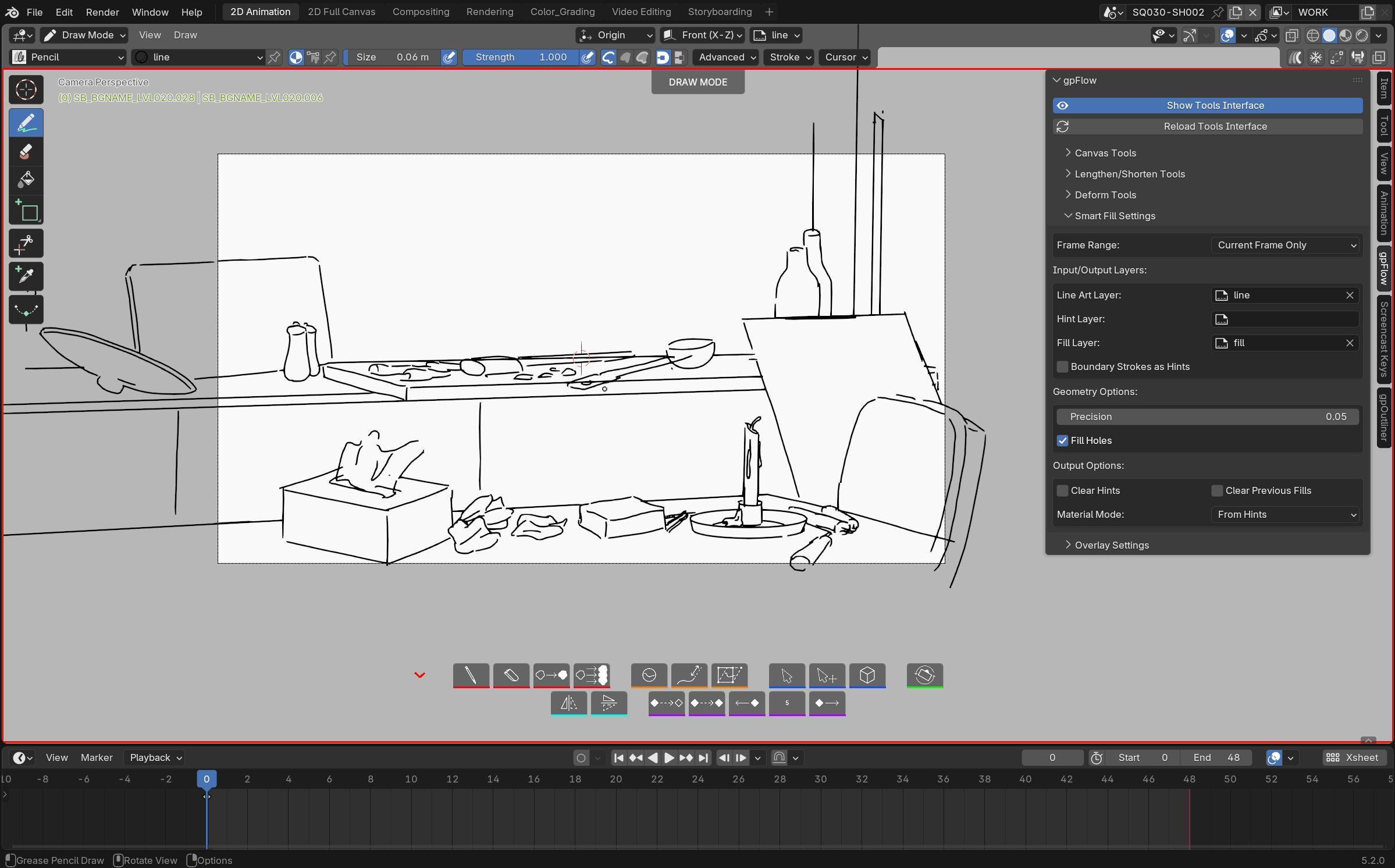
gpFlow adds a floating, GPU-drawn toolbar right inside the 3D Viewport, putting the Grease Pencil tools you reach for constantly — draw, erase, select, sculpt, fill, flip — one click away instead of buried in menus and mode switches, each with its own keyboard shortcut too. It doesn't reinvent Grease Pencil: it drives Blender's own brushes, modes and operators, just with a lot less friction between you and the next stroke.
Presentation video
At a glance
- Draw / Erase / Fill in one click each, with the last brush used remembered per mode. Fill drives Blender's own native Fill tool (every brush setting still applies); Shift+click removes a fill under the cursor, a gesture with no native equivalent.
- Reshape without redrawing: Lengthen/Shorten a stroke by grabbing its nearest endpoint and dragging; Deform drops a view-aligned lattice around your selection for quick, natural-looking distortion; Sculpt drops you straight into Blender's native sculpt mode.
- Select & Transform in one action — lasso-select a stroke and gpFlow hands you straight into Move, no extra click.
- Flip that understands animation — mirrors strokes around a shared center so a flipped pose stays consistent across frames, respecting multi-frame editing and locked layers.
- Canvas rotation — turn your camera to a more comfortable drawing angle without losing your original framing, with 15° snapping and a one-click return.
- Animation shortcuts — empty keyframe, duplicate the previous one (per-layer or across every visible layer), shift a run of keyframes.
- Fully remappable shortcuts, per tool, with live conflict detection.
See the Features page for a full visual walkthrough.
Why it feels native
gpFlow never replaces a Blender tool, panel, or shortcut — it only adds a layer on top. The toolbar is drawn directly into the viewport (no custom windows, no hijacked UI regions), and every action it triggers is a real Blender operator or mode switch. Turn gpFlow off, and your file, your brushes, and your habits are exactly as Blender left them.
Requires Blender 5.2 or newer. No extra dependencies — gpFlow ships self-contained and never reaches out to the network.
License
GNU General Public License v3.0 or later
— SPDX: GPL-3.0-or-later.
Some utility and version-compatibility code is adapted from nijiGPen by chsh2, also GPLv3-licensed.
gpFlow is part of the SlateFlow suite.
Support
slateFlow is developed in my spare time, alongside my freelance work. Prices are deliberately affordable: in return, I can't commit to fix deadlines or on-demand development. Feedback and ideas are welcome — the most important bugs will be fixed, and good ideas will make their way in. Thank you for your understanding.
Found a bug? See Reporting a bug for what to include.